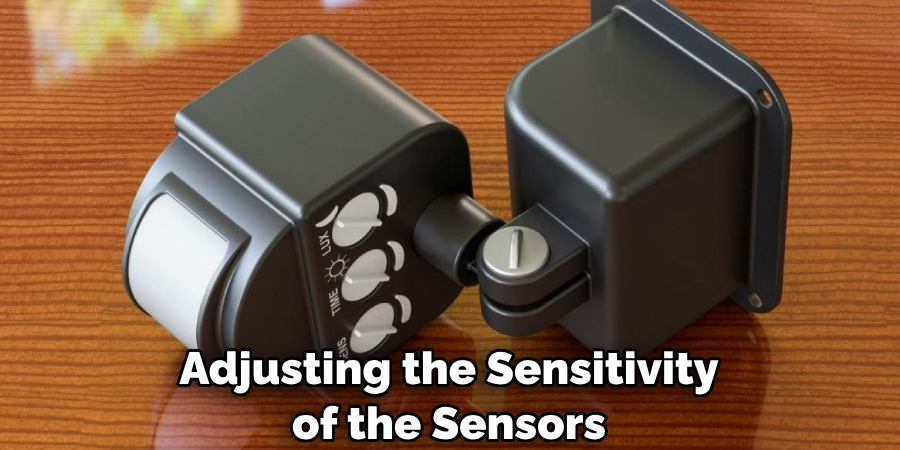
How to Manage Motion Sensor Sensitivity: The Definitive Calibration Guide
How to manage motion sensor sensitivity. The precision of modern automated systems relies heavily on the bridge between physical movement and digital response. Motion sensors, whether deployed for residential security, industrial lighting, or smart-city infrastructure, are not “plug-and-play” devices in the truest sense; they are reactive instruments that require environmental calibration. The challenge of tuning these devices lies in the thin margin between a system that is over-responsive, triggering on wind-blown debris or thermal shifts, and one that is dangerously sluggish, failing to detect legitimate presence.
To effectively address how to manage motion sensor sensitivity, one must move beyond the dial on the back of the unit. It requires a foundational understanding of the physics of detection, specifically, how infrared radiation, ultrasonic waves, and microwave pulses interact with a specific architectural volume. Factors such as ambient temperature, humidity, and the reflectivity of surfaces play as much of a role in performance as the internal circuitry of the sensor itself.
This exploration avoids the superficial advice of “turn the knob to the left” in favor of a systemic analysis. By examining the interplay between sensor technology, environmental variables, and the psychological expectations of the end-user, this article establishes a technical framework for optimizing motion detection systems. We will look at the mechanics of false positives, the degradation of hardware over time, and the strategic placement logic that defines a high-functioning automated environment.
Understanding “how to manage motion sensor sensitivity.”
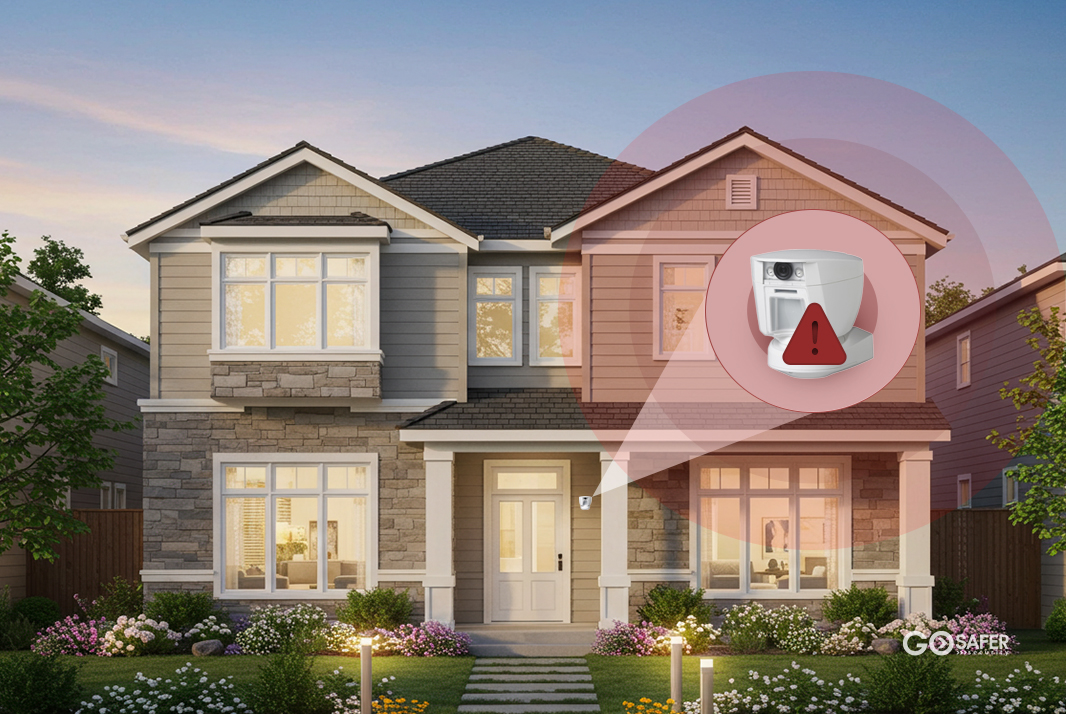
Managing sensitivity is essentially the art of managing the “signal-to-noise” ratio. In a vacuum, a motion sensor would have no trouble identifying a moving object. In the real world, however, the sensor is bombarded by “noise” sunlight hitting a floor, a pet crossing a hallway, or an HVAC vent blowing a curtain. To understand how to manage motion sensor sensitivity, one must first accept that sensitivity is not a linear volume control; it is a threshold of data interpretation.
A common misunderstanding is the belief that higher sensitivity always equates to better security. In reality, hyper-sensitive sensors often lead to “alarm fatigue,” where the user eventually ignores notifications or disables the system entirely due to frequent false triggers. Conversely, lowering sensitivity too much to avoid the neighbor’s cat may create blind spots where a slow-moving human goes undetected.
The complexity increases when dealing with different detection methods. A Passive Infrared (PIR) sensor “sees” heat signatures, while a Microwave (MW) sensor “sees” reflections of its own pulses. Managing sensitivity for a PIR sensor involves accounting for the delta between the ambient room temperature and the target’s body heat. If the room is 98°F, a PIR sensor will struggle to see a human, regardless of how high the sensitivity is set. This nuance is why a one-size-fits-all approach to calibration inevitably fails in specialized environments.
Deep Contextual Background: The Shift from Binary to Intelligent Detection
Historically, motion detection was a binary affair. Early ultrasonic and mechanical sensors were crude, often triggered by heavy vibrations or loud noises. The introduction of the PIR sensor in the 1970s revolutionized the industry by focusing on thermal radiation, but these early models were notoriously prone to “white light” interference and rapid temperature changes.
In the late 20th century, the shift toward “Dual Technology” or “Dual-Tech” sensors marked a turning point. By requiring both a PIR and a microwave sensor to trigger simultaneously before an alarm was issued, manufacturers drastically reduced false positives. This evolution changed the conversation around sensitivity. It was no longer about making a single sensor “smarter,” but about using overlapping physics to validate a detection event.
Today, we are entering an era of “Edge Processing” and “Computer Vision.” Modern high-end sensors do not just measure a change in infrared levels; they use onboard processors to analyze the shape and trajectory of the movement. Understanding this evolution is critical because the method of adjustment has shifted from physical potentiometers (screws) to software-defined zones and algorithmic filters.
Conceptual Frameworks and Mental Models
When approaching the calibration of these systems, several mental models help clarify the objective.
1. The Threshold vs. Time Framework
This model posits that sensitivity is a product of two variables: the intensity of the signal (how much heat or movement) and the duration of that signal (how long it lasts). Managing sensitivity involves deciding whether you want the sensor to trigger on a “burst” of movement or a sustained presence.
2. The Venn Diagram of Detection
Visualize three overlapping circles: The Detection Zone, The Environmental Noise, and The Target Profile. The goal of sensitivity management is to maximize the overlap between the Detection Zone and the Target Profile while minimizing any overlap with Environmental Noise.
3. The Inverse Square Law in Detection
As the distance from the sensor increases, the energy returned (or received) decreases exponentially. A sensor set to “high” sensitivity to catch movement at 40 feet will be uncontrollably sensitive to a fly moving 2 inches from the lens. This framework forces the user to prioritize “depth of field” over raw power.
Key Categories of Motion Sensors and Their Trade-offs
Selecting the right hardware is the first step in learning how to manage motion sensor sensitivity effectively. Each technology has a “native” sensitivity profile that dictates how it should be handled.
| Sensor Type | Detection Method | Primary Sensitivity Trigger | Common Weakness |
| PIR (Passive Infrared) | Heat differentials | Change in infrared radiation | Sunbeams, heaters, pets |
| Microwave (MW) | Doppler effect | Frequency shift in reflected waves | Penetrates walls; triggers on pipes |
| Ultrasonic | Sound waves | Interruption of high-frequency sound | Blocked by furniture/obstacles |
| Dual-Tech | PIR + Microwave | Simultaneous heat and motion | Slower response time (latency) |
| Video Motion (VMD) | Pixel analysis | Change in light/color values | Clouds, shadows, swaying trees |
Decision Logic for Implementation
When choosing between these, the decision should be based on the “stability” of the environment. In a controlled warehouse, a high-sensitivity Microwave sensor is excellent because it covers vast areas. In a residential living room with large windows, a PIR sensor with “Pet Immunity” (which ignores heat signatures below a certain mass) is the superior choice for managing sensitivity without constant maintenance.
Detailed Real-World Scenarios

Scenario A: The High-Traffic Commercial Lobby
In a lobby with revolving doors and constant air movement, a PIR sensor often triggers due to “drafts” of cold or hot air.
-
Constraint: You cannot stop the airflow.
-
Decision Point: Instead of lowering sensitivity (which might miss a late-night intruder), the solution involves “Pulse Counting.”
-
Action: Configure the sensor to require three “pulses” of infrared change within 10 seconds before triggering. This filters out the single “burst” of air from a door opening.
Scenario B: The Outdoor Perimeter Near Foliage
Standard video motion detection often fails here because wind moves tree branches.
-
Constraint: Natural movement is constant.
-
Failure Mode: High sensitivity leads to thousands of false recordings; low sensitivity misses a person walking behind the trees.
-
Second-Order Effect: Use “Line Crossing” or “Intrusion Zones” in the software. By managing the sensitivity only within a specific geometric box on the screen, you ignore the swaying branches in the periphery.
Planning, Cost, and Resource Dynamics
The cost of managing motion sensor sensitivity isn’t just the price of the unit; it is the labor of calibration and the cost of “missed events.”
| Resource Category | Initial Cost (Per Unit) | Maintenance Effort | Reliability Factor |
| Entry-Level PIR | $15 – $30 | High (Frequent tweaks) | Low/Moderate |
| Advanced Dual-Tech | $60 – $150 | Low (Self-calibrating) | Very High |
| AI-Enabled Camera | $200 – $500+ | Moderate (Firmware updates) | High (Context-aware) |
The hidden cost of low-quality sensors is the “Call-out Fee.” If a business security system triggers a false alarm and the police are dispatched, the resulting fines can exceed the cost of a high-end, self-regulating sensor within a single night.
Tools, Strategies, and Support Systems
To master how to manage motion sensor sensitivity, professionals employ a variety of physical and digital tools:
-
Walk-Test Mode: A setting that illuminates an LED every time the sensor detects movement, allowing for real-time boundary testing without triggering the full alarm system.
-
Look-Down Zones: Small mirrors or lenses within the sensor that allow it to see directly beneath itself, preventing intruders from crawling under the detection field.
-
Creep Zones: Specialized lenses designed to detect slow, methodical movement that might otherwise be filtered out as “background noise.”
-
Sensitivity Potentiometers: Physical dials that limit the gain of the internal amplifier.
-
Masking Tape/Shields: Physical opaque covers used to “blind” certain parts of the lens, preventing the sensor from seeing a specific trouble area (like a ceiling fan).
-
Software Thresholding: In IP-based systems, the ability to set a “percentage of pixels changed” or “minimum object size” to qualify as motion.
Risk Landscape and Failure Modes
The primary risk in sensitivity management is the “False Sense of Security.”
-
Environmental Masking: If a sensor’s sensitivity is tuned during a cool morning, it may become “blind” in the heat of the afternoon. This is known as “thermal masking.”
-
Component Degradation: Over the years of exposure, PIR lenses can become brittle or dirty. A dirty lens diffuses infrared light, effectively lowering the sensitivity regardless of the settings.
-
Compounding Errors: If a microwave sensor is set to its maximum range, it may detect movement in the room behind the wall it is mounted on. If that room also has a sensor, you can end up with a “ghosting” effect where one movement triggers multiple unrelated zones.
Governance, Maintenance, and Long-Term Adaptation
A motion detection system is not a static installation. It requires a “Governance” approach—a scheduled review of performance.
The Maintenance Checklist
-
Quarterly Walk-Tests: Physically walk the perimeter of every zone to ensure the “trigger point” hasn’t shifted due to furniture movement or building settling.
-
Lens Cleaning: Use a microfiber cloth to remove dust and spider webs. Spiders are a leading cause of false alarms as they appear massive when crawling directly over the sensor lens.
-
Battery Voltage Checks: In wireless systems, low voltage can cause the sensor’s logic board to fluctuate, leading to erratic sensitivity spikes or drops.
Measurement, Tracking, and Evaluation
How do you know if you have successfully managed the sensitivity? You need data.
-
Leading Indicators: The number of “near-miss” detections or the frequency of “pre-alarm” logs in your security software.
-
Lagging Indicators: The number of confirmed false dispatches over six months.
-
Qualitative Signals: User feedback. Does the light turn on before the person enters the room, or are they three steps into the dark before the sensor reacts?
Common Misconceptions and Oversimplifications
-
“Higher sensitivity means more range.” Not necessarily. Sensitivity refers to the intensity of the signal required to trigger. Range is a function of the lens optics and emitter power.
-
“Pets can’t trigger motion sensors.” Most “pet-immune” sensors only work if the pet stays on the floor. A cat jumping onto a bookshelf will almost always trigger a sensor, as it enters a “non-immune” zone.
-
“Outdoor sensors are just indoor sensors in a plastic box.” False. Outdoor sensors have complex compensation algorithms to handle moving shadows and wind, which would make an indoor sensor useless.
-
“Mounting height doesn’t matter.” Height is critical. If a sensor is mounted too high, the “fingers” of its detection pattern will have large gaps where a person can stand undetected.
Ethical and Practical Considerations
In managing sensitivity, there is an inherent tension between security and privacy. A sensor that is “too sensitive” might pick up movement in a public sidewalk or a neighbor’s yard, leading to unintended surveillance. Ethically, the goal should be “Targeted Detection”—ensuring the sensor’s reach is strictly confined to the property it is intended to protect. This is not just a matter of courtesy; in many jurisdictions, over-reaching sensors that trigger recording of public spaces can run afoul of privacy laws.
Conclusion
Mastering how to manage motion sensor sensitivity is a continuous process of observation and adjustment. It requires moving away from the idea of “setting it and forgetting it” toward a more nuanced understanding of how physics, environment, and technology intersect. By employing rigorous testing, utilizing dual-technology hardware, and maintaining a regular calibration schedule, one can create a system that is both reliable and unobtrusive. The goal is a “silent” efficiency, a system that identifies every legitimate movement with surgical precision while remaining indifferent to the chaotic noise of the natural world.